Understanding Player Points and Stats
Where to find every player's points, stats, and ownership, and how to read a player's full season profile.
Overview
The Players section ranks every player by total points and lets you filter and sort to find exactly who you're looking for. From there you can open any player to see their full season stats, or check ownership when picking a transfer.
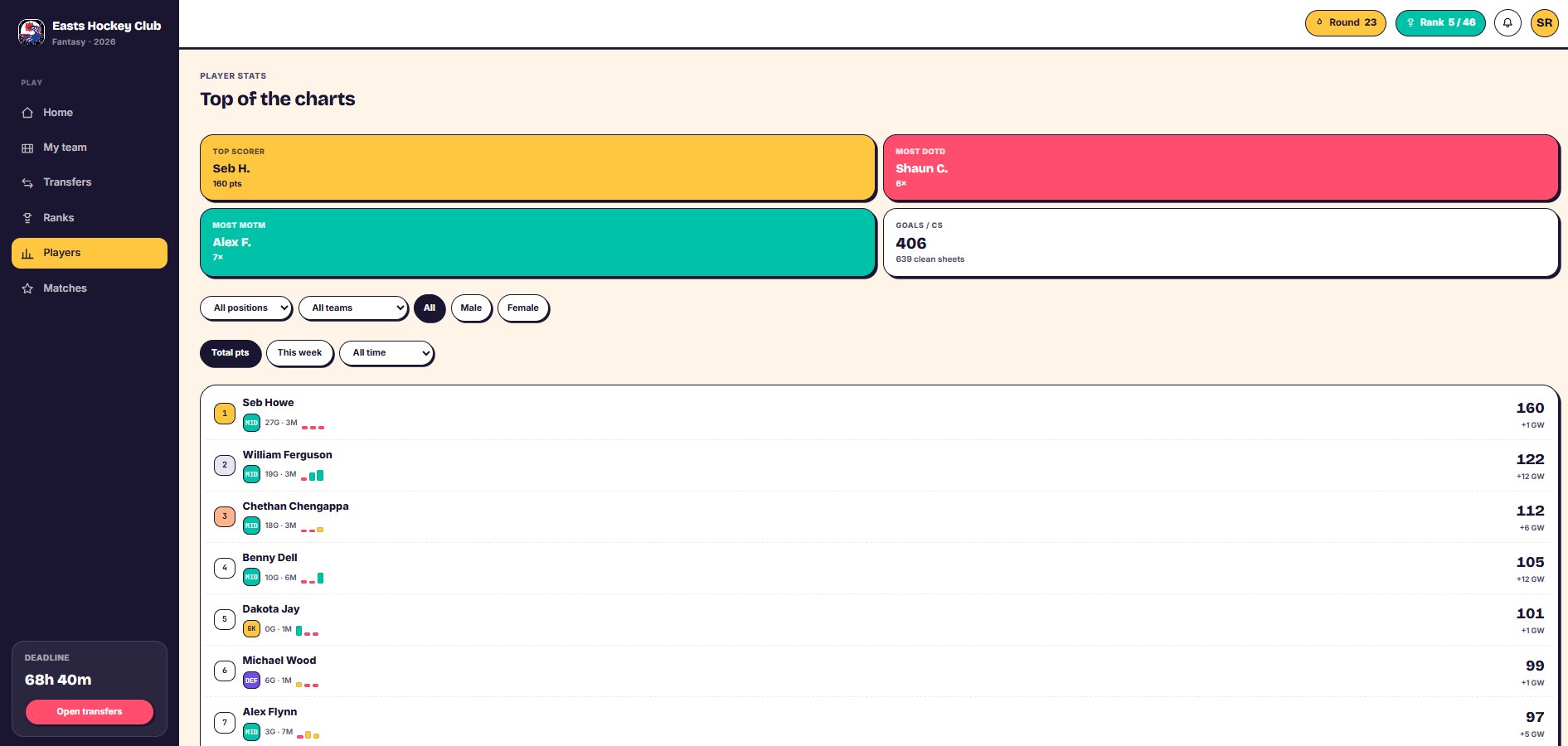
View the players list
- Go to the Players section.
- You'll see every player ranked by total points.
- Use the order options to sort by position, team, gender, or by points scored this week, all time, or in a specific month.
- Leader panels above the list show the top scorer, the player with the most goals, the most clean sheets, and the most Man of the Match awards.
Open a player's season stats
- Scroll the players list to find the player you want, or use the filters above to narrow it down.
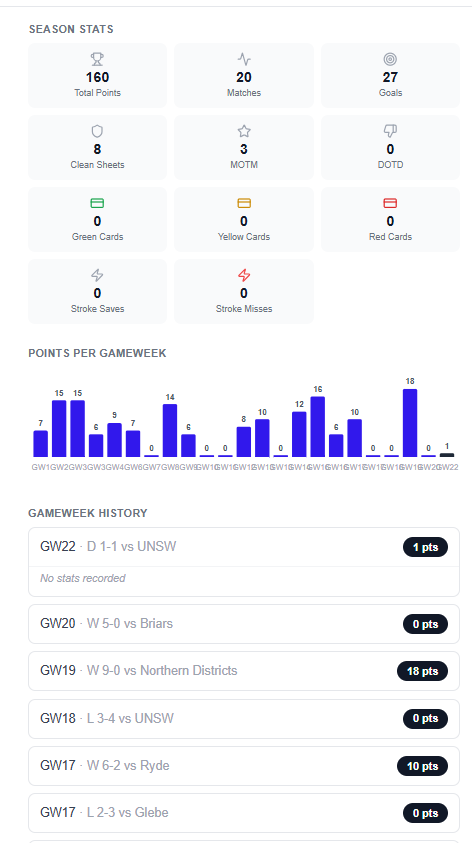
- Click into a player to open their season stats page.
- You'll see their recent form, total stats (goals, clean sheets, Man of the Match awards, cards), and a graph of their points week by week across the season.
- Use the arrows on the page to move to the next or previous player without going back to the list.
Check ownership before a transfer
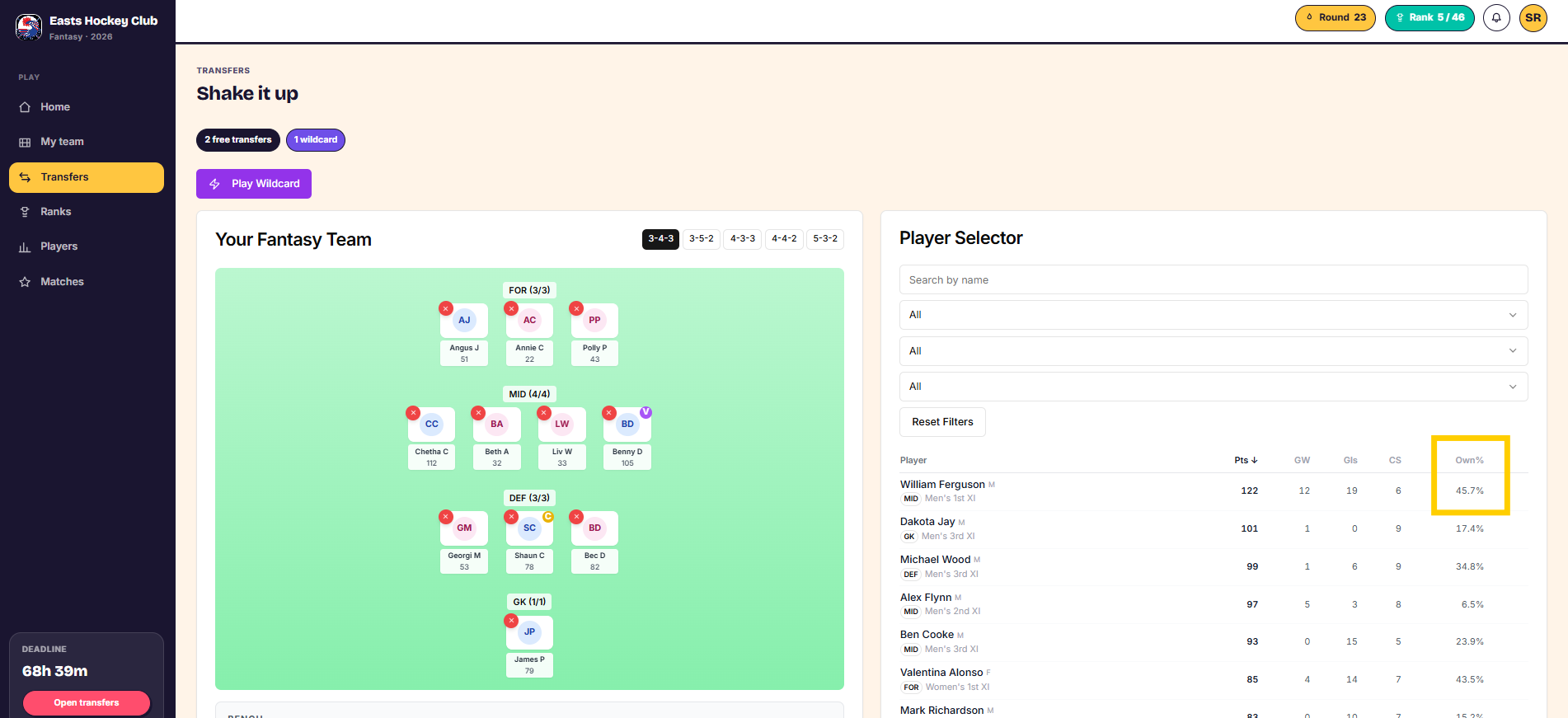
- Open the transfer screen.
- Click the Ownership column header to sort players by how widely they're owned.
- Click other column headers (goals, clean sheets, games played) to sort by those instead.
Things to know
- Wherever a player's name appears in the app — including in My Team — you can click it to see a summary of their stats for that gameweek.
- The season stats page and its points graph cover the whole season, not just recent weeks.
Was this article helpful?