How to Manage Matches and Gameweeks
Entering match results, completing gameweeks and setting transfer deadlines all happen from the Admin Portal.
Overview
Each week you enter your match results, mark up player stats, and complete the gameweek so points show for your users. This works the same on mobile as on desktop.
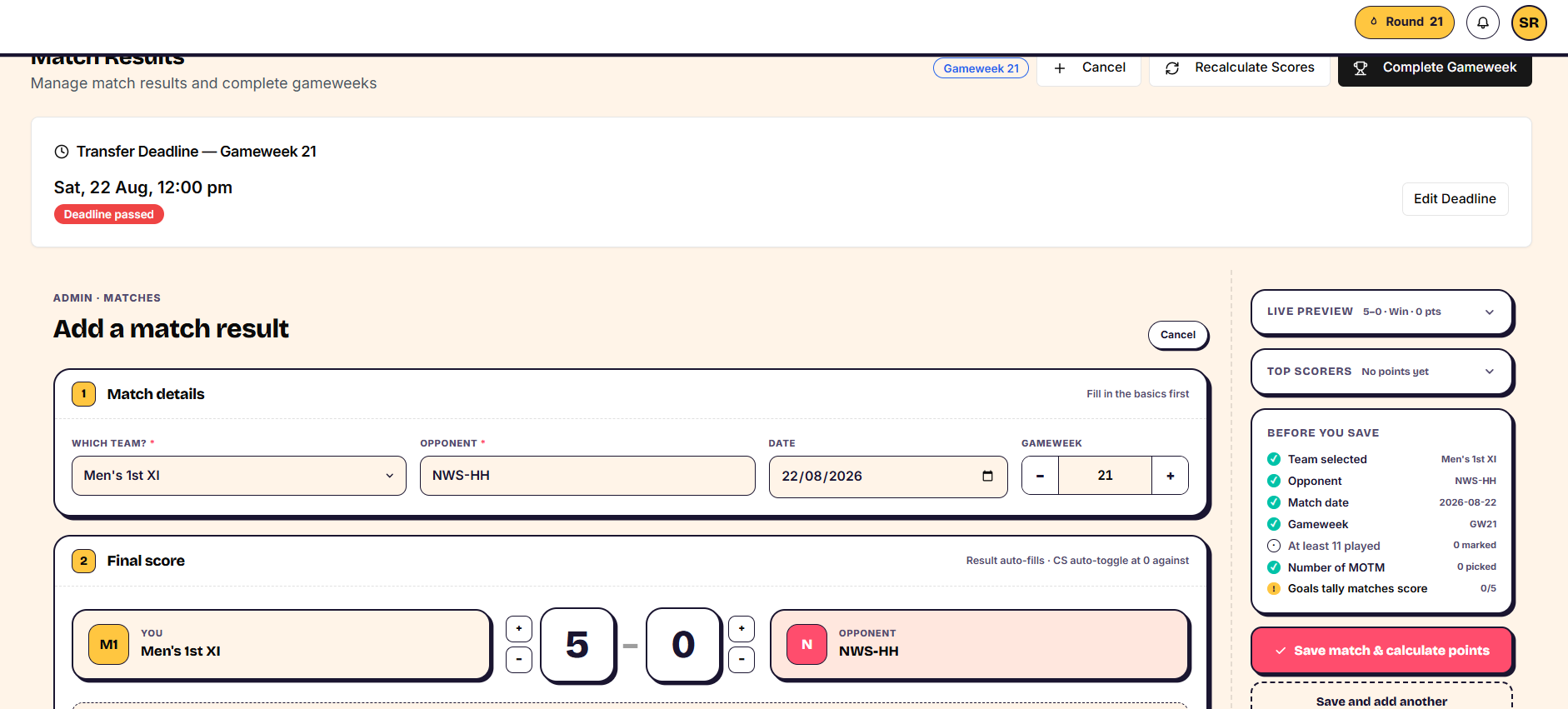
Add a match result
- Go to Matches and add a match.
- Choose your team, the opposition, and the date.
- Enter the result. Win, draw or loss is set automatically from the score, though you can override it if you ever need to.
Adding the match pulls in every player in that squad. From there you can either select your starting XI, or choose "all played" and untag anyone who didn't play. A 0 against your team automatically credits a clean sheet.
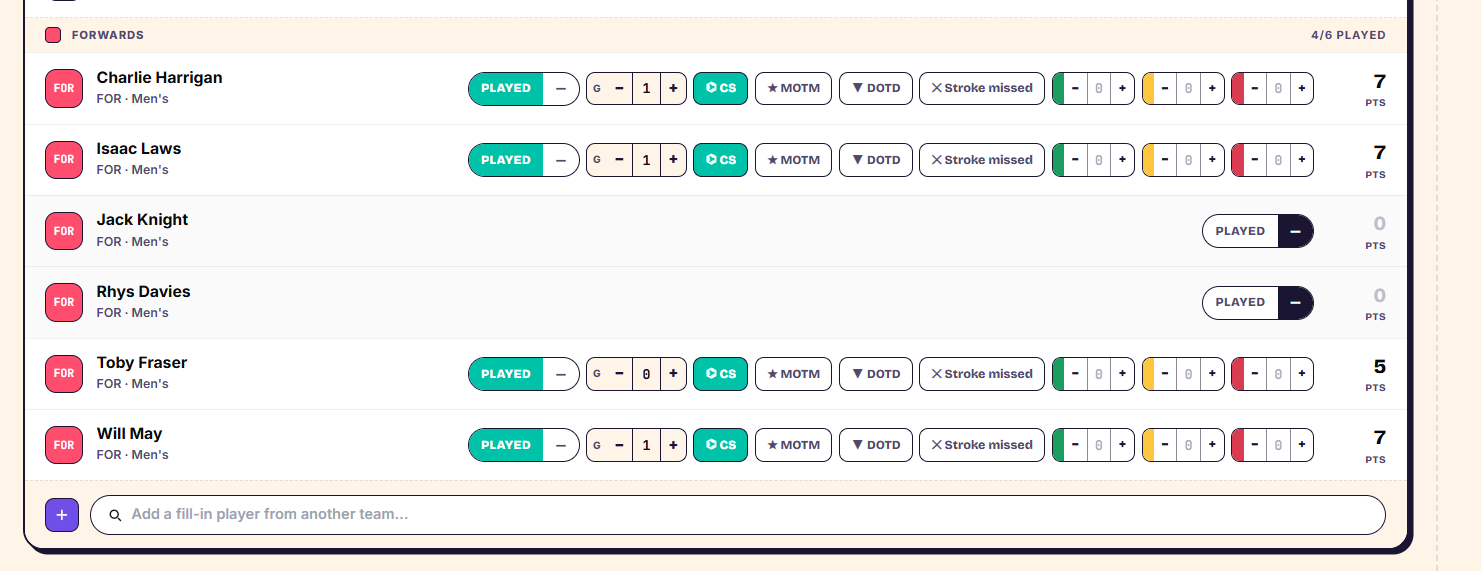
Record player stats
- Mark who played.
- Tag goals, cards and any other events against the players involved.
- Add players from another team if they played in this match too, and make sure they're marked as played.
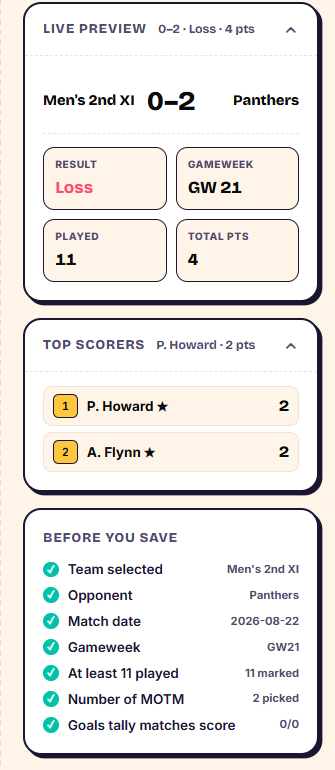
You'll see a warning if fewer than eleven players are marked as played — this is just a check, not a block, since not every squad will field a full XI.
Save the match to calculate points. The match itself is saved immediately, but points won't show to your users until you complete the gameweek.
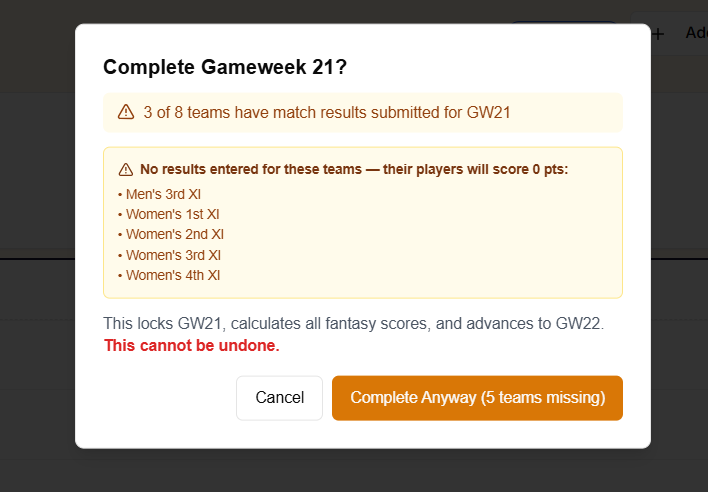
Complete the gameweek
- Once all your matches for the week are entered, go to complete the gameweek.
- If any results are missing, you'll see a warning — you can still complete the gameweek, since not every team plays every weekend.
Completing the gameweek is what makes player points visible to your users.
Edit a match or recalculate scores
- Before completing a gameweek, open the match, make your changes, and save — points recalculate automatically.
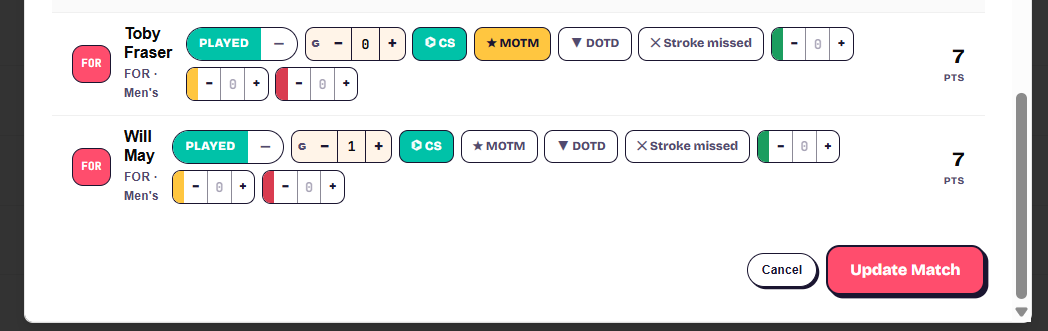
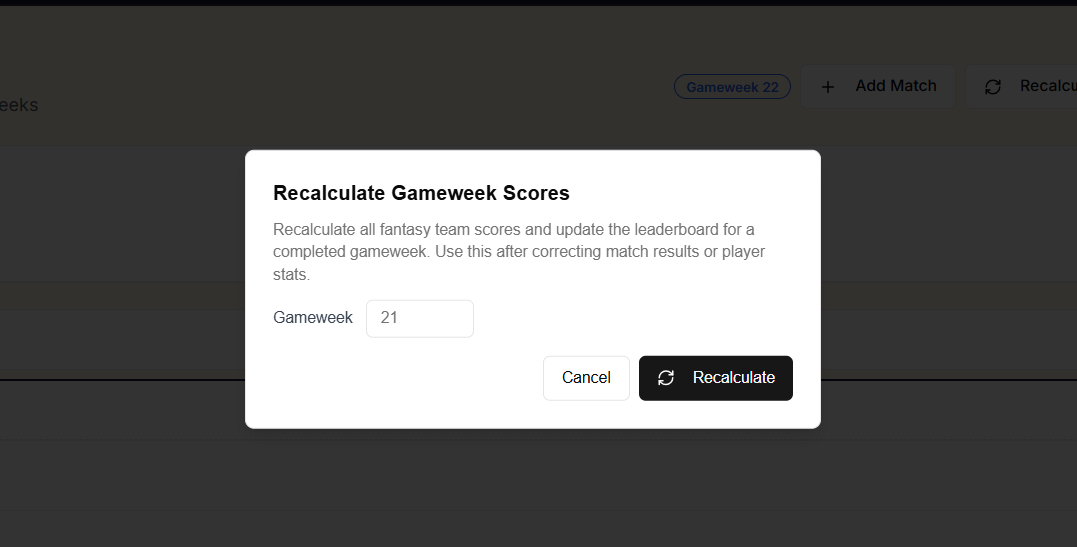
- After completing a gameweek, if you spot an error, edit the match as normal, then click Recalculate Scores to update the published points.
Set the transfer deadline
Every gameweek needs its own transfer deadline.
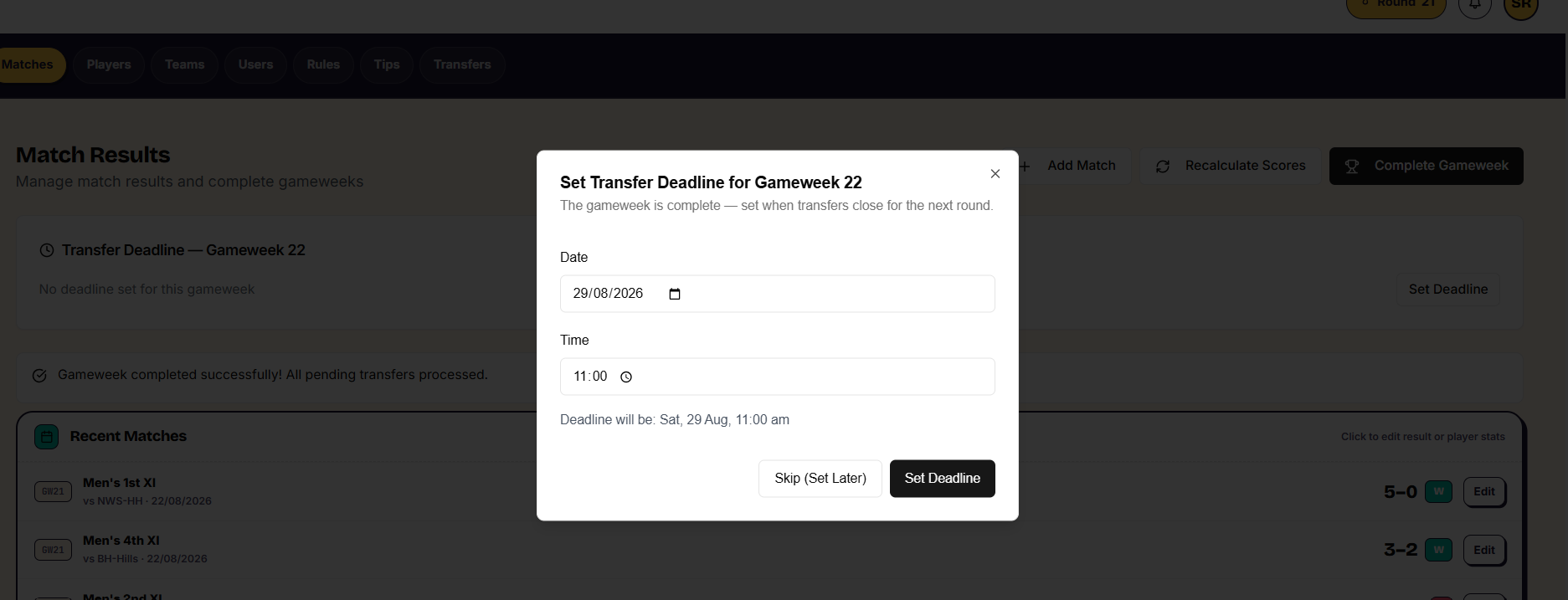
- Go to the Game Week tab.
- Set deadline, and choose a date and time — for example, the Saturday morning before your first match, at 11am.
- Save the deadline.
After the deadline passes, users can no longer change their transfers for that gameweek.
Things to know
- Points aren't visible to users until you complete the gameweek, even though the match itself saves immediately.
- If you edit a match after completing its gameweek, you must click Recalculate Scores or the published points won't reflect your change.
- The "fewer than eleven played" warning is informational only — you can save and complete regardless.