Understanding Gameweek Results and Scoring
How to find match results once they're in, and how to work out exactly where your team's points came from.
Overview
Once results are entered, you can see them highlighted on the home page, drill into any individual match to see who scored what, or open your own team (or anyone else's) to see a full gameweek points breakdown player by player.
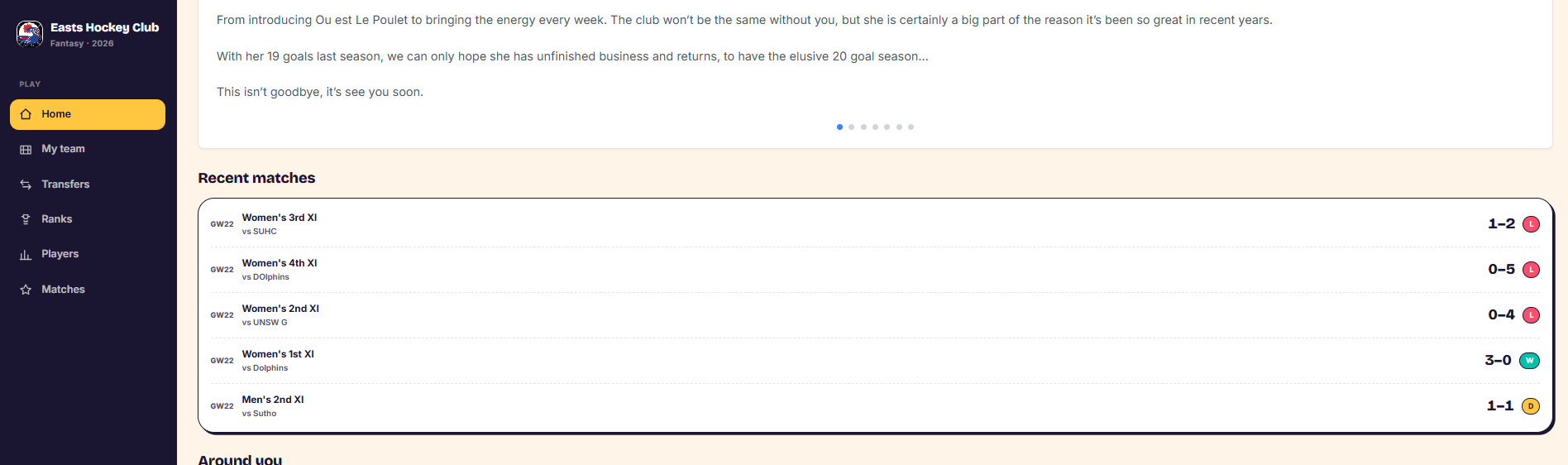
Check recent results on the home page
- Go to the home page.
- The Recent Matches section highlights the latest matches and their results.
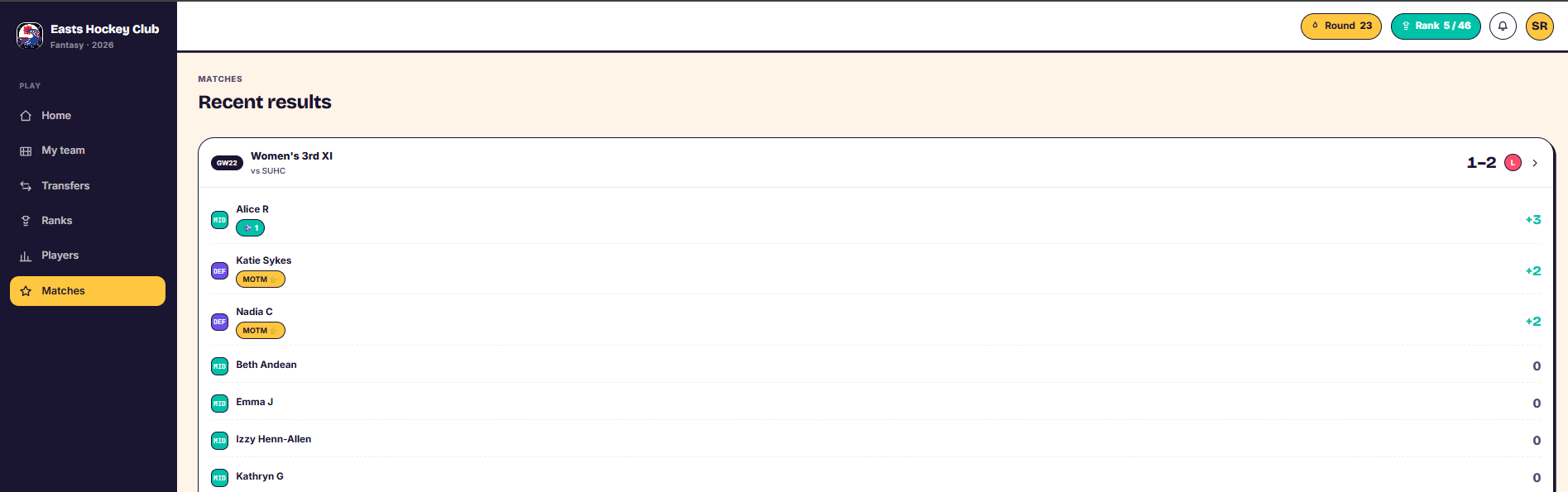
See points scored in a match
- Go to the Matches tab on the left-hand side.
- Click into a match.
- You'll see the points each player scored in that match, and what earned them — for example a goal or a Man of the Match award. Players who didn't contribute show zero points.
- Repeat for other matches to see where points across the gameweek came from.
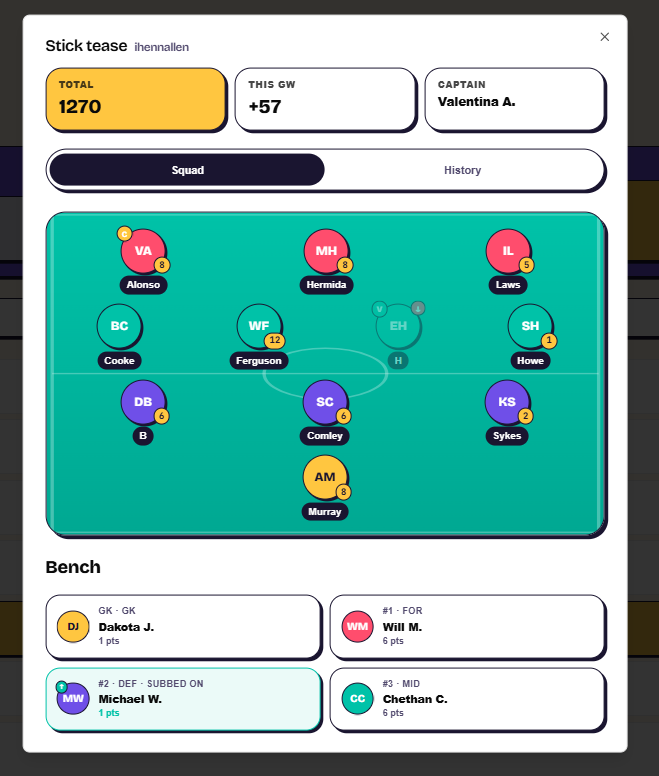
View a team's full gameweek breakdown
- Go to your team, or go to Ranks and click on a team name.
- A window opens showing that team's gameweek points, with each player's points shown in a circular icon next to them.
- The captain and vice-captain are marked. The captain's points are doubled; if the captain didn't play, the vice-captain's points are doubled instead.
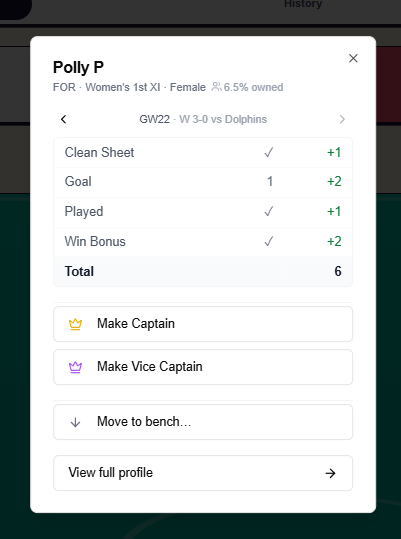
- Click into an individual player to see the full breakdown for that gameweek — the match they played, and points for clean sheet, goals, appearance, and win bonus.
Things to know
- A card (for example a green card) deducts points even if the player also earned an appearance point, so their total for the gameweek can still come out at zero.
- If a starting player doesn't play, their points may come from an auto sub instead — see Understanding Auto Subs.
- You can view this breakdown for any team from the Ranks page, not just your own.
Was this article helpful?